
What Is Google Business Profile Optimization?
Google Business Profile (GBP) optimization is the systematic process of completing, verifying, and continuously improving your business listing on Google to maximize visibility in local search results and the Map Pack. A fully optimized GBP includes accurate business information, strategic category selection, compelling photos, active review management, and regular posting to demonstrate to Google that your business is active, trustworthy, and relevant to local searchers.
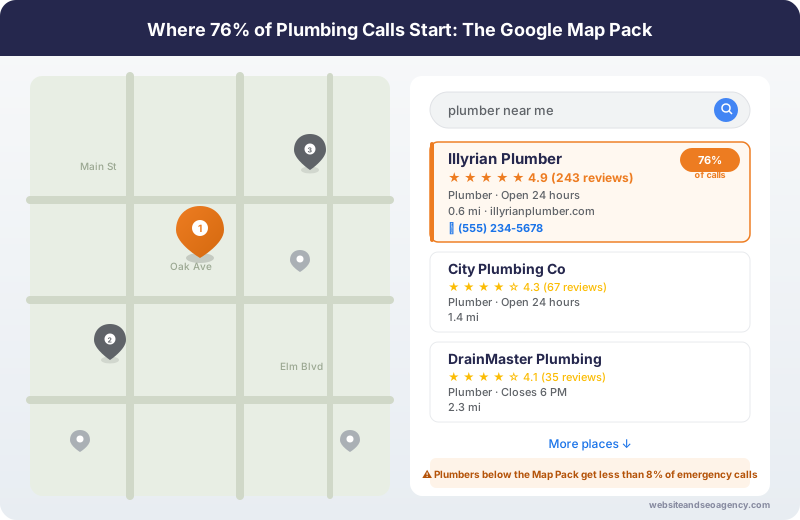
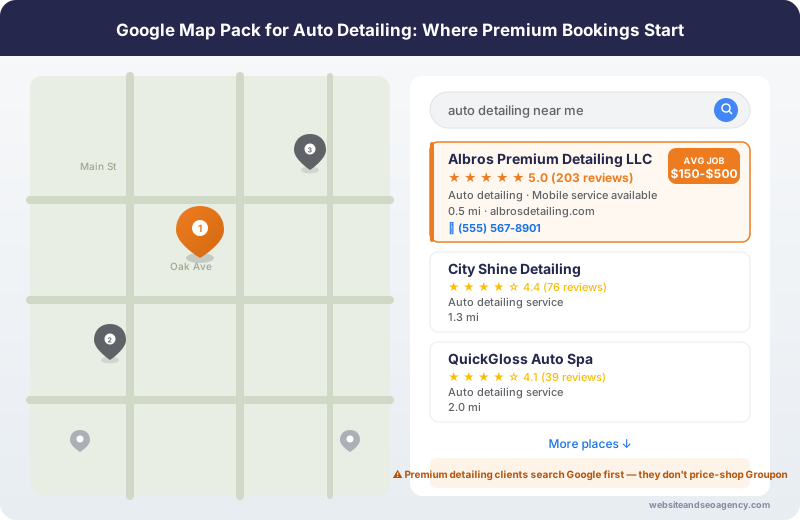
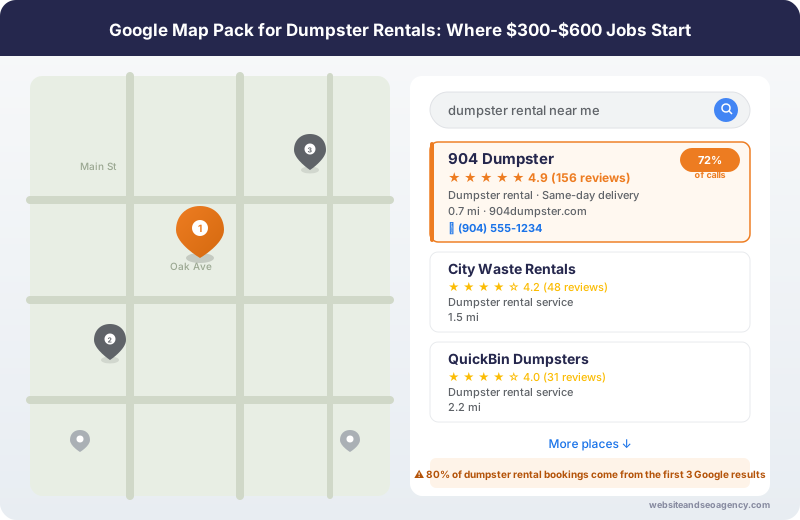
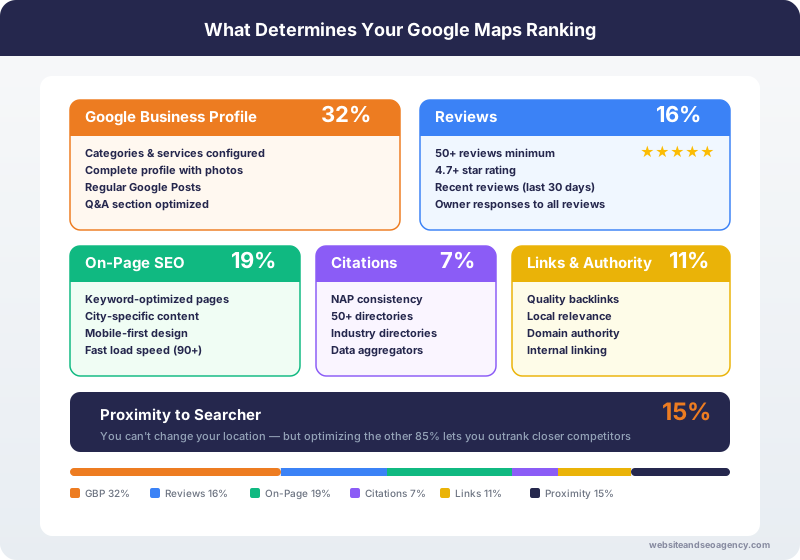
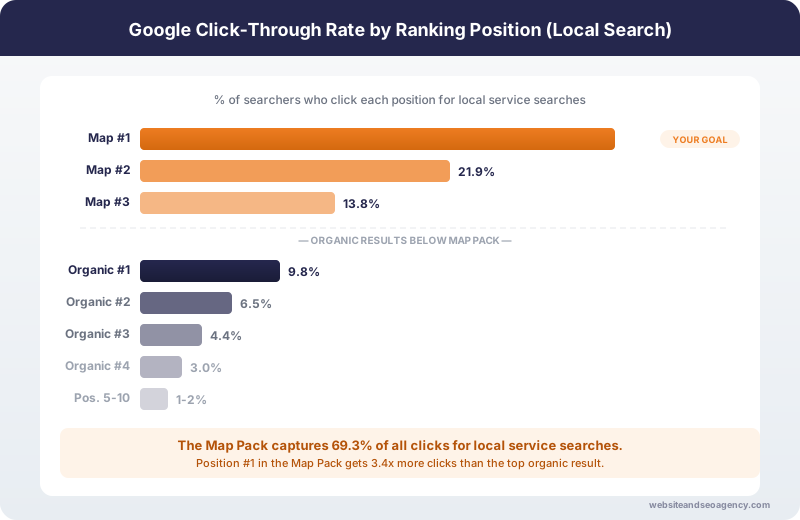
Your GBP is often the first impression potential customers have of your business. When someone searches "plumber near me" or "emergency HVAC repair," Google shows the Map Pack with three local businesses,driven by the Google Maps ranking factors we cover in detail. Appearing in this coveted position can mean the difference between getting the call or losing to a competitor.
This guide walks through every aspect of GBP optimization, from initial setup to advanced strategies that keep you ahead of competitors.
Ready for professional GBP management? Our local SEO services include comprehensive Google Business Profile optimization with proven results.
How Do You Set Up Your Google Business Profile Correctly?
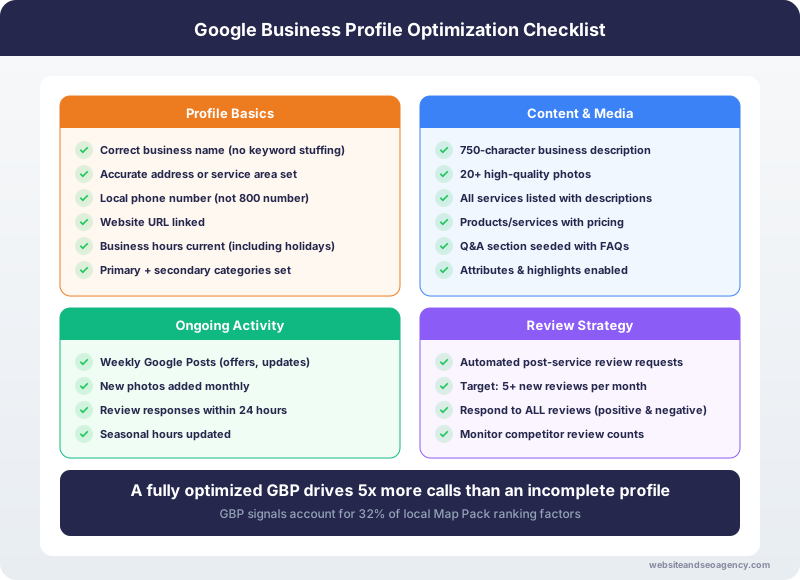
Setting up your GBP correctly from the start prevents problems later. Here is the field-by-field guide to getting it right.
Business Name
Use your exact legal business name. Do not add keywords, locations, or descriptors that are not part of your official name. Google penalizes keyword stuffing in business names, and competitors can report you for guideline violations.
Correct: Joe's Plumbing LLC
Incorrect: Joe's Plumbing LLC - 24/7 Emergency Plumber Dallas TX
Address and Service Area
For businesses with a physical location customers visit, enter your full address. Google will verify this address, usually by sending a postcard with a verification code.
For service area businesses (SABs) like plumbers, electricians, and mobile detailers who travel to customers, you have two options:
Most service businesses should hide their address and set service areas. You can define up to 20 service areas by city, zip code, or radius from your location.
Phone Number
Use a local phone number, not a toll-free number. Local numbers signal to Google that you are a genuine local business. If you need call tracking, use a local tracking number and keep your main number consistent across all online listings.
Categories
Category selection is critical and often misunderstood. Your primary category has the biggest impact on which searches you appear for.
Primary Category: Choose the category that best describes what you ARE, not what you DO. A plumber should choose "Plumber," not "Drain Cleaning Service."
Secondary Categories: Add all relevant secondary categories. A plumber might add:
Research what categories top competitors use. Google allows up to 10 categories, but only add ones that genuinely apply to your business.
Business Hours
Enter accurate hours, including special hours for holidays. Google penalizes businesses shown as open when they are closed. If you offer 24/7 emergency service, indicate this in your hours.
Update hours for holidays, vacations, and special circumstances. Businesses with accurate hours receive better rankings than those with outdated or missing information.
Website and Appointment Links
Link to your homepage or a dedicated landing page that matches your GBP location. If you have multiple locations, each GBP should link to its specific location page.
Add appointment or booking links if you use online scheduling. Google increasingly promotes businesses that offer easy online booking options.
How Do You Write an Effective Business Description?
Your business description appears when users click "More about this business." You have 750 characters to describe what makes you different. Use this space strategically.
Description Best Practices
Start with your primary service and location. Include what makes you unique, your experience, and why customers should choose you. Avoid:
Good Example:
"Joe's Plumbing has served the Dallas-Fort Worth area for over 15 years, providing 24/7 emergency plumbing services, water heater installation, drain cleaning, and sewer repair. Our licensed plumbers arrive within 60 minutes for emergencies and provide upfront pricing before starting work. Family-owned and operated with thousands of 5-star reviews."
Keywords in Description
Include your primary keywords naturally, but do not force them. Google uses your description to understand your business, but ranking impact is secondary to categories and reviews.
How Do You Optimize GBP Photos for Maximum Impact?
Photos significantly impact click-through rates and customer trust. Businesses with photos receive 42% more direction requests and 35% more website clicks than those without.
Types of Photos to Add
Logo: Upload a square logo (250x250 pixels minimum) that displays clearly at small sizes.
Cover Photo: This appears prominently in search results. Use a high-quality image that represents your business well.
Interior/Exterior: Show your physical location if customers visit. Even service businesses benefit from showing their office or warehouse.
Team Photos: Humanize your business with photos of your team in action. Customers want to know who they are hiring.
Work Photos: Before and after shots, completed projects, and work-in-progress images build trust and showcase quality.
Equipment/Vehicles: Show your professional equipment and branded vehicles. This signals legitimacy and professionalism.
Photo Upload Strategy
Add 3-5 new photos weekly. Consistent photo uploads signal an active business to Google. Batch your photos and schedule uploads throughout the month.
Photo Technical Tips:
How Do You Get and Manage Google Reviews?
Reviews are arguably the most important ranking factor for the Map Pack. Businesses with more reviews and higher ratings consistently outrank competitors.
How to Get More Reviews
Ask at the Right Time: Request reviews when customer satisfaction peaks, typically right after completing excellent work. Do not wait days or weeks.
Make It Easy: Send a direct link to your Google review page. Use a URL shortener or QR code on leave-behind cards.
Train Your Team: Every team member should know how to ask for reviews. Role-play the request until it feels natural.
Follow Up: Send a follow-up text or email with the review link. Many customers intend to leave reviews but forget.
Review Request Template:
"Hi [Name], thank you for choosing [Business]! If you are happy with our service, we would really appreciate a Google review. It only takes 30 seconds and helps other homeowners find reliable service. [Link]"
Responding to Reviews
Respond to every review within 24-48 hours. Your response rate and speed factor into rankings.
Positive Review Response:
Negative Review Response:
Never argue publicly, make excuses, or ignore negative reviews. Other customers judge you by how you handle complaints.
How Do You Use Google Posts Effectively?
Google Posts appear directly in your GBP listing and keep your profile fresh. While posts expire after 7 days (except offers, which last until the end date), regular posting signals an active business.
Types of Posts
What's New: General updates, news, tips, or announcements
Offers: Promotions with specific terms and dates
Events: Upcoming events with dates, times, and details
Post Strategy
Post at least once per week. Effective post topics include:
Post Best Practices
How Do You Optimize GBP for Service Area Businesses?
Service area businesses face unique GBP challenges. Here is how to optimize when you travel to customers rather than having them visit you.
Setting Service Areas
Define your service area by city, region, or distance radius. Be realistic about where you actually provide service. Claiming a 100-mile radius when you only serve nearby cities can hurt rankings for your core area.
List service areas in order of priority. Your most important markets should appear first.
Location Pages on Your Website
Create dedicated pages on your website for each service area. Link your GBP to relevant location pages. This helps Google connect your GBP to specific geographic areas.
Building Local Relevance Without an Address
Service area businesses can still build local relevance through:
What Are Common GBP Mistakes to Avoid?
Avoid these common mistakes that hurt rankings or risk penalties:
Keyword Stuffing: Adding keywords to your business name violates guidelines and risks suspension.
Fake Reviews: Buying reviews or incentivizing reviews violates Google's policies. Focus on earning legitimate reviews.
Duplicate Listings: Having multiple GBP listings for the same location confuses Google and dilutes your authority.
Inconsistent Information: NAP (Name, Address, Phone) must match exactly across all online listings.
Ignoring Reviews: Failing to respond to reviews, especially negative ones, signals poor customer service.
Inactive Profile: Profiles without recent photos, posts, or activity rank lower than active competitors.
How Do You Track GBP Performance?
Google provides insights directly in your GBP dashboard. Key metrics to track:
Track these metrics monthly to understand what is working and where to improve.
Ready for Professional GBP Optimization?
Optimizing your Google Business Profile is essential for local search visibility, but it requires consistent effort. If you want expert help managing your GBP and achieving top Map Pack rankings, our local SEO services include comprehensive GBP optimization, review optimizations, and ongoing management.
Get a free GBP audit and see exactly where your profile stands and what it takes to outrank competitors.
Explore More Ways We Help Local Businesses
GBP management comes standard in our local SEO packages, which start at $480/month, fully customized to your market — see full pricing and package details. Want your business surfacing in AI-generated answers on Google AI Overviews and ChatGPT too? Explore our AI Search Optimization (AEO/GEO) services.
Want Professional Help?
Learn more about our Local SEO Services services and how we can help your business dominate local search results.
Explore Local SEO Services ServicesFrequently Asked Questions
How long does it take to see results from GBP optimization?
Can I optimize my GBP myself or do I need professional help?
How many Google reviews do I need to rank in the Map Pack?
Does posting on Google Business Profile help rankings?
Should I use my home address for a service area business?
What are the best practices for ongoing GBP management?
How much does professional GBP management cost?
About the Author
Web Wise Team
The Web Wise Team has optimized hundreds of Google Business Profiles for local service businesses, achieving top 3 Map Pack rankings for clients across the USA and UK.